Tag: headlines (Page 8 of 19)

Review: Ballistic HC case for the iPhone 4

ballistic-hc-6

I was excited when offered the chance to take a look at AGF’s Ballistic HC case for the iPhone 4. As the website suggests, the Ballistic HC is “Designed to Survive Life,” a great slogan considering I had dumped my phone onto a brick patio just a few nights prior to receiving the review unit. The Ballistic HC is a great case, and though it may not be for everyone, it’s perfect for people who can be rough on their phones.

The first thing you’ll notice is that the Ballistic HC is big. It’s a pretty thick case by itself, and if you want it to get even bigger there’s a bouncy silicon wrap you can put around the case for extra protection. The size is a good thing, though. It allows for all of the padding and space necessary to keep your phone safe in the even that you would drop it or accidentally smash it against something. A rubber inner layer separates your phone from the hard outer, protecting the phone from the case and adding some shock absorption. The hard outer shell also has fixed rubber bumpers for an extra layer of protection. The aforementioned rubber sleeve really takes the phone to indestructible new heights.

The front of the Ballistic HC case has a screen protector that allows your touchscreen to still function perfectly. I was really impressed, because I’ve seen a lot of cases for which the screen protector ruins the browsing experience on the phone. With the Ballistic, you almost don’t notice that the protector is there (unless you drop your phone, of course, in which case you’ll just notice that the screen is in tact).

I only had one issue with the Ballistic case, a problem AGF is both aware of and working actively to fix. As you can see in the picture below, the screen protector can get suctioned onto the screen, creating an oil-spill pattern across the screen. It’s not very noticeable when the screen is lit up, but it kinda sucks when the screen is black.

ballistic-hc-18

As I said, though, Ballistic is working on a fix. The company posted a YouTube video with a simple, temporary fix for the problem while they continue to work on a permanent solution. Really, though, if you need this case, you are probably more interested in the fact that it will keep your phone safe, and less interested in the way your phone will look while tucked safely away inside this beast of a case.

Booq Boa S Nerve Review: The bag of many pockets

Booq Boa S NerveI have never been satisfied with a laptop bag. They tend to be ugly, unwieldy, and either try to pack too many ridiculous features into a tiny package or leave your cords and chargers to fend for themselves in giant pockets seemingly designed to create a tangled mess. When I got the Booq Boa S Nerve (provided to me by the manufacturer) I figured it would fall under the “too many pockets,” umbrella, but I was surprised. Somehow Booq has managed to make a bag with a pocket for everything without it becoming a cluttered mess. I never thought I would use the phrase “intuitive design” about a bag, but that’s really what it boils down to.

Boa S Nerve inside
As you can see, the inside is packed with pockets, and that doesn’t even show another set that lean against the book you can see pictured in the pouch. The great thing is that all of the pockets have expandable profiles, so when they aren’t in use they don’t take up much space. On that lowest tier there is a set of neoprene pockets for pens and a larger neoprene sleeve I like to use for my Magic Mouse. Inside the larger pouch where the included laptop sleeve sits there are some larger utility pockets made of the same ripstop material as the rest of the inner lining. Those are perfect for chargers, cords, and battery packs. The thing is, you would know this without me telling you. It’s not that I think bags should have labels on the pockets, but when I open a bag and immediately know how to compartmentalize my gear (instead of trying to figure out the best way to store all of my cords and hope they won’t get tangled) I’m a happy guy.

The Boa S Nerve is great down to the smallest details, too. There’s a tag on the inside with a serial number that gets associated with the buyer so that, in the event of a lost bag, you can hopefully get your bag back. There’s a secondary strap on the shoulder strap that clips to the side of the bag, cinching it tight against your body for riding on a bike or if you need to run to catch your public transportation of choice. There’s a little piece of covered plastic on the back whose purpose eluded me until I set the bag on my chair the other day to load it up and just grabbed the thing by what I now recognize as a handle. No, it’s not revolutionary, and I probably should have thought of what it was, but I didn’t, and the fact that I instinctively grabbed the bag there shows me just how much thought went into the design. Right under that there’s a little pocket for your mobile device of choice.

On the whole, it’s the thought that went into this product that makes it great. If you aren’t interested in a messenger style bag, Booq has an entire line of products designed for geeks and tech professionals with a sense of style and a need for quality storage. You can find their line of products at Booqbags.com.

First iPhone 4 class action suit surfaces

iPhone 4 antenna.A class action suit has been filed against Apple and AT&T for, you guessed it, the antenna issue.

More specifically, the suit claims the following on the part of the designated companies:
• General Negligence (APPLE and AT&T)
• Defect in Design, Manufacture, and Assembly (APPLE)
• Breach of Express Warranty (APPLE)
• Breach of Implied Warranty for Merchantability (APPLE and AT&T)
• Breach of Implied Warranty of Fitness for a Particular Purpose (APPLE and AT&T)
• Deceptive Trade Practices (APPLE and AT&T)
• Intentional Misrepresentation (APPLE and AT&T)
• Negligent Misrepresentation (APPLE and AT&T)
• Fraud by Concealment (APPLE and AT&T)

Quite the list of infractions, don’t you think? While I agree that there shouldn’t be such widespread incidence of this problem, I don’t think it’s out of the question to ask people to hold the phone a bit differently. Maybe that’s just me.

Also, am I the only person not having this problem?

Read the full brief over at Gizmodo.

iPhone 4 impressions

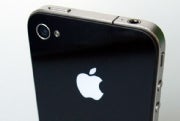
My new iPhone showed up in the hands of a sweaty FedEx guy (it’s 100 degrees here today) right around 1PM and I’ve been playing with it ever since. The short version of this post, like so many other iPhone 4 posts, is this: The iPhone 4 is exactly what a smartphone should be – fast, (reasonably) flexible, and functional.

The first thing I noticed out of the box is the build. It feels so much more solid than the 3GS in your hand. It feels thin but heavy, like you’re holding something important, which is about how it should feel. Gone is the plastic from the back of the 3GS and in its place is a solid piece of glass – the same piece that graces the front. The volume buttons feel sturdy, as does the hold switch (a welcome change from the 3GS hold switch, which feels like it’s on the verge of breaking every time I flick it). I also love that the phone now sits flat on my desk.

The next thing to catch my eye was the screen. Dear god it is beautiful. You can appreciate the difference between the two immediately, but you really start to understand the difference when you look at the smaller details. When I installed iOS 4 on my 3GS I was excited, but I was a little underwhelmed by some of the display features. In folders, for instance, many of the app icons look blurry and out of focus. Not so on the iPhone 4. Icons look just as crisp within the folder as they do on any of your app screens.

The iPhone 4 is fast. A lot faster than the 3GS it seems, most likely because of the RAM upgrade from 256MB to 512MB. That’s especially nice with the fast app-switching in iOS 4. The faster processor also allows you to pull off the 720p video recording that now comes standard. Video looks great, as do stills, running through the new 5 megapixel camera, which added a flash.

Call quality has been improved with the addition of a noise-canceling secondary microphone. I haven’t yet been able to test FaceTime but as soon as I can I’ll post some more impressions.

If you’re on the fence about the new iPhone, get to an Apple store and play with one. Though I knew I wanted one, I couldn’t appreciate the new feature set until I actually saw it. Now, I’m in love.

Photo from fOTOGLIF

iPhone 4 pre-orders are totally borked

I woke up early this morning all excited to pre-order my iPhone 4. I was up a bit late last night and noticed that the store was down, and with the iPad, pre-orders were available around 8:30am EST, so I planned accordingly. Much to my chagrin, the online system at Apple wasn’t working. Neither was the AT&T system. In fact, it seems the whole pre-ordering process has melted down.

I started digging around the web to find other experiences, and even the people in brick-and-mortar stores are having trouble pre-ordering. The problem, it seems, is on AT&T’s end (who’s surprised?). Requests for account information aren’t being handled properly, and presumably because of the massive traffic AT&T is receiving, every step of the upgrade process is causing errors. As in, you fill out the data for step one (which renews your contract), press enter and get an error. Resubmit until it goes through. Now you have a new contract, but no subsidized phone until you can get step two or three to work.

This especially sucks for the people in brick-and-mortar stores. Cross step one and you’re stuck in the store until AT&T’s system deems you worthy to leave or, as I mentioned, you get a renewed contract but no new phone. Hopefully this will get fixed at some point today, but knowing AT&T, that’s not going to happen. If you have a couple hours to kill and feel like testing your boiling point, head on out to your nearest AT&T retailer for a little fun.

Photo from fOTOGLIF

« Older posts Newer posts »

© 2026 Gadget Teaser

Theme by Anders NorenUp ↑