Category: News (Page 129 of 130)

Product Recommendations – iPod Shuffle (3rd Generation)

Apple has been dominating the news lately. They just released a new iMac, Mac mini, and Mac Pro. iTunes recently got an update to version 8.1. The new iPhone OS 3.0 is going to be unveiled on March 17. Apple’s core OS called Leopard is rumored to be replaced by Snow Leopard in June. And there are rumors of Apple purchasing large quantities of 10” touch-screen displays for what might be there first try at a netbook.

Amidst all this, Apple just released their 3rd Generation iPod Shuffle. And the changes from the previous version are quite large for an extremely small device.
Shuffle
As seen from the picture on the right, the 3rd Generation Shuffle is quite small. Half that of the previous version. And you may notice from the picture that all the buttons have been removed from the device. Now you only have a port for your headphones, an off-straight-shuffle slider for turning the device on, and a clip to attach it to your clothes. That’s it. No really, that is it. Where did the rest of it go? To the headphones.

Apple moved the volume and next-last buttons to the headphones. They also added a feature called VoiceOver. The basic premise is that you can adjust the volume or change songs with a click on the headphone wire. Should you want to switch playlists (yes, the Shuffle finally has playlists) you can press and hold until the VoiceOver takes control. It will read to you the current playlist then read to you other playlists. When you hear the playlist you want to listen to, click again and it will start playing it. It does this same thing to tell you the current song you’re listening to. Also, the Shuffle now differentiates between audio books and music, so when you shuffle your songs it won’t play you a chapter of War and Peace.

My recommendation: Thanks, but no thanks. The new features are neat, but sound completely impractical. The best use of the Shuffle is when you’re active. I can’t imagine trying to navigate through songs and playlists while going for a jog. Also, if you misplace the headphones, you get no controls whatsoever. Sure it will play music, but you can’t change the volume or skip songs. What good is that?

I think Apple got a little too fancy on this one. They could have easily put some controls on the device itself. I would recommend purchasing or keeping the 2nd Generation Shuffle and treat the 3rd Generation as a novelty.

A Must Read – What We Pay for Mobile Service

BillShrink.com has a very interesting graph explaining how much we are paying for each part of our mobile phone service. It take a few minutes to read through and digest, but the results are shocking:
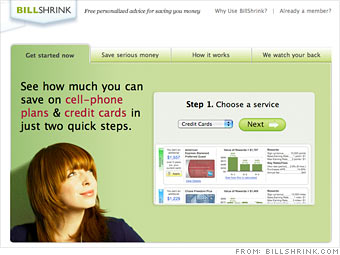
BillShrink

Mobile phone companies provide the basic service of transferring information, whether that be in the form of phone calls, text messaging or internet data plans. However, the method in which they charge for these services is not so basic. By coupling various services into packages and failing to disclose specific details, these companies make it difficult to understand exactly what you are paying for, and exactly how much you are paying for it. With messaging and phone calls, both the sender and the recipient are being billed, doubling the charge on the transfer of the same data. When we took a look into exactly how much data is being transferred, and how much it is costing the customer, we found that each service is each being charged at relatively high and largely different rates.

Take a step back and read the bottom line.

This makes data transfer via
Data plan 225X
Voice 3,372X
Messaging 412,500X
More expensive than your standard ISP

Wow. I mean wow, wow, wow. No one, myself included, seems to take a step back and look at these things. We simply sign up for our cell service and pay as little as we can and still get the service we need. Meanwhile, we’re getting taken to the cleaners.

Hmmm, yes, I send more than 200 texts per month so I better get unlimited texting for $30. What’s that Mr. Consumer? The 300 texts you sent last month equals about 5% of 1MB of data. That’s basically the equivalent of talking on the phone for one minute. And well, good thing you paid $30 for that service or else we would have had to charge you overage fees. You really saved yourself some money there!

Is it me or does something need to change here? The cell phone service providers have an oligopoly. Until consumers refuse to pay what they are asking, nothing is going to change. And it may be selfish to say, but I can’t go without texting and data. They are staples in my life.

When we come back down to earth though, it is more about perceived value than it is about actual price per megabyte. Until I read that article, I didn’t think $30 for unlimited texting for the 2 lines of service I currently have was actually that bad. Do I wish it was less? Of course I do. But my perception was that hey, we both can send as many texts as we want and it still is only $30.

Whether you’re looking at perceived value or actual cost, it would be nice for the phone companies to start charging us at a more reasonable amount, especially for texts, and get all of our plans to more affordable levels.

Sweet Gadgets That Fell Short

Interesting article by popularmechanics.com this week. Here they explore “5 Design Flaws that Ruined Otherwise Smart Gadgets.”

Storm

In order for a touchscreen to be successful, the user needs to feel that he is in constant control, and for this, responsiveness is key—even small lags can prove immensely frustrating. One recent offender of this rule is the Blackberry Storm, RIM’s first touchscreen phone.

Some history: Before the Storm was released, there was a lot of buzz surrounding its supposedly ground-breaking touchscreen, which depresses like a button, giving users a satisfying “click”.

But when users and reviewers actually got their hands on their device, the real shock was how buggy the whole thing was. The touchscreen suffered from long delays—often a second or more—that made users yearn for their old button-based Blackberry. And completing simple tasks took an unnecessary number of steps. For example, inputting the letter “C” involves putting one’s finger on the letter, waiting for the phone to respond by highlighting the letter, and then pushing down. All that for a simple letter.

I can definitely agree with some of this. BlackBerry, for instance, had a good vision when designing the touch-and-click function in the Storm, but the execution was less than stellar. Have you tried this thing? Press and hold, press harder, wait for it… wait for it… and click. Are you kidding me? That’s the ultra-innovative touch-screen we’ve been waiting for? Please.

I can’t agree too much with the Wii Remote. After all, they did include a wrist strap with every Wiimote. If you choose not to use the wrist strap, that’s at your own risk.

I’ve already touched on the Kindle vs. the Kindle 2 here, so I won’t go there right now.

Check out the article and let me know if you know of any sweet gadgets that have a clear miss in the design.

Major Crackdown on Swedish File-sharing Server

Big news coming out of Sweden this weekend:
Arrest

Police have made a major crackdown on illegal file-sharing by seizing a giant computer server during an apartment raid in a Stockholm suburb, an official said Saturday.

Henrik Ponten, a spokesman at the Swedish Anti-Piracy Bureau, said the server contained about 65 terabytes of files, corresponding to around 16,000 full-length movies.

“The size of the works are gigantic,” he said, noting it was one of the biggest pirate server confiscations ever in Sweden.
It has been my understanding that Sweden has been pretty lenient towards file-sharing in the past. Sounds like those days are over.

The curious thing is if and how much this will affect sites like ThePirateBay.org and IsoHunt.com. In theory, it shouldn’t affect them at all. But I guess we’ll know for sure in the next few weeks.

« Older posts Newer posts »

© 2026 Gadget Teaser

Theme by Anders NorenUp ↑