Tag: smartphones (Page 2 of 3)

The future of the point-and-shoot (there isn’t one)

Point and shoot use on Flickr

MG Siegler at TechCrunch has put together another interesting article, this time on the future of the point-and-shoot camera. His basic point is that the industry is behind the curve and needs to evolve quickly to catch up in the social game. Though he makes some good points, I think it’s too late.

Siegler starts his article with an anecdote about his latest camera purchase, a high end Canon point-and-shoot, the S95, which he also says he uses five percent of the time. I can’t imagine why you would spend $400 on a camera you would use so little, particularly when the impetus behind most point-and-shoots is having pictures you can share. There are plenty of options at the prosumer DSLR level that can take better pictures for hardly more cost. If you need something more social, get a decent phone.

Siegler mentions all of this, but I think it’s actually too late for the point-and-shoots to make the necessary changes. Phones are just too far ahead. Sure, the S95 takes vastly superior pictures to my iPhone, but the times I want to take decent pictures I plan ahead. The rest of the time, I don’t want to be carrying another device with me. My phone is plenty sufficient if it means I don’t have to keep track of another device.

As cell phone cameras continue to improve, point-and-shoots will be more and more marginalized. Sure, there are still people buying them – a fairly significant part of the market – but dedicated devices rarely do well for everyday use. This is the same reason we aren’t going to see the Peek take off. Yes, it’s nice for checking email or tweeting, but do you really want to carry around the same device. Granted, a good point-and-shoot offers much more functionality than the Peek does, but it’s the same physical limitation. I don’t always want to have a bag with me, or worry about whether I’ll break something important if I put my camera in my pocket. I want something quick and usable, not something for taking super high-quality pictures. If I want that, I’ll take my DSLR. I don’t need an in-between.

Of course, that’s also where Siegler’s article ends. It seems for him that the dream of a connected point-and-shoot is truly a dream, and one that won’t be realized before smartphones have killed the market segment.
Traveling and Tech: Layovers made easy

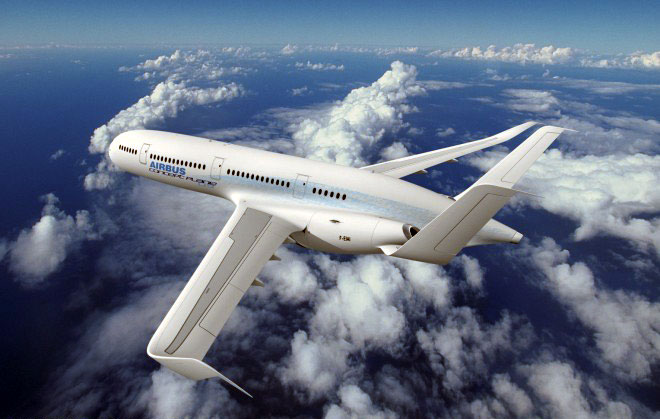
Plane.When I travel I tend to drive. I prefer the sense of space and there’s something cathartic about putting in 11 hours or so behind the wheel of a car. Over the past three weeks, though, I’ve traveled by both car (as a passenger) and plane, and in both cases my travel was significantly delayed so I had a lot of time on my hands. Thank god for smartphones.

For the road trip, my girlfriend and I made our way up to NYC to visit some friends. It was a great little vacation, but we got caught in traffic outside every major city between North Carolina and the Holland Tunnel. I laid in the back of the car while our friend drove, playing Words With Friends with a couple people, reading forums, updating the blogs I write for, cruising Facebook, and watching ridiculous YouTube videos. It made the stop-and-go that is DC rush hour not only bearable, but almost enjoyable.

After being home for just under a week I left again, up to Ohio to celebrate my grandmother’s 80th birthday. I hopped a plane from Wilmington to Charlotte, wherein I was trapped next to a nervous flier. I don’t think anyone is truly comfortable with the bangs and clicks associated with flying, but nervous fliers stress me out. They’re always shaking, breathing heavily, whimpering any time the plane takes a quick dip. It is as awkward a situation as you can create – two strangers mashed up against each other, one of which will be in desperate need of some consoling. I’m sorry, but I don’t fly to console people. I queued up some Tap Tap Revenge, put on my noise-canceling headphones, and tried to ignore the fact that my seat was shaking from this person twitching.

We landed in Charlotte despite some thunderstorms, but my flight to Ohio was delayed by a solid two hours (I already had an hour layover). I started digging through the App Store for something to do and found Angry Birds (all of the addictive stories are true). I started downloading an episode of This American Life for the next flight, and flipped over to some Angry Birds. In between levels I could flip back and forth between Words With Friends and text messages from family members wondering when they should be at the airport.

None of this is new or thrilling, but when it’s you stuck staring at terminal screens, trapped in tiny coach seats, or staring at the ceiling in the back of a friend’s car, you start to appreciate just how great all of our tech can be.

Got A Smart Phone? Want to Gamble?

If you’ve got an I-phone or any of the other popular smart phones with full Internet capability and lots of fun applications tailor made to be downloaded by you, there may be one you haven’t thought of yet. If you love to place bets, be they wagers on the outcome of soccer matches or bets on the midweek races at a nearby track, there is an app (application) for that!

Some of the first smart phone applications for use by gamblers involved the more traditional casino games such as black jack and poker. As more people have begun downloading more apps on their smart phones, more applications that center around wagering have been developed. The best casino phone apps are usually the ones marketed by the same people who offer the best gambling web sites online, like Caesars online. Teaming their existing technology with mobile devices is just one more way the on-line gambling industry is quickly becoming the biggest business on the world-wide-web.

Of course, today’s tech-development companies are coming out with new applications to use on smart phones at a rate that might be mind boggling if there weren’t an application designed to keep track of it all. (Is there?) The smart phone has gone from a handy way to take a call and find a good restaurant to an indispensable tool for living, at least for the I-phone generation. So, it is only natural that the gambling industry would up the ante and design apps specifically for these mobile devices that enable a person to gamble from, virtually, anywhere.

Of course, when shopping for any smart phone app, you need to be sure the application will work on your phone. You also want to read the fine print in the agreement and remember that gambling is not legal everywhere. In some places, your gambling app may be illegal. If you get caught, don’t worry. There is a great app for finding a good lawyer available, too!

Nokia to produce half as many smartphones in 2010

Nokia's Jo Harlow.When Apple beat Nokia’s profits earlier this year selling just one smartphone it sent a very clear message. Nokia has decided to focus its smartphone offering for 2010, cutting back from the 20 sets it released this year to just ten for next. It’s an interesting move, and something that could definitely turn things around for the handset maker.

“We see … really fierce competition certainly in the high end, but we also see it in the mid to low end of smartphones increasing.” That’s from Jo Harlow, the new chief of Nokia’s smartphone unit. She was appointed to the position after Nokia dropped six percentage points of smartphone market share in the September quarter report.

“We will defend our position, but we believe we also have tools to play offense as well as defense.” Phones like the N900 come to mind, which for some reason got a really lackluster release this year. The N97, which is pretty lame by comparison, got all of Nokia’s attention. You might have seen earlier this week that Nokia will only release one Maemo phone next year. That could be a problem, especially as Symbian continues to age.

Source: Reuters

Handset Review: Motorola Debut i856

Motorola-Debut-i856I’ve spent the last two weeks with the Motorola Debut i856, a feature phone on the Sprint network that makes use of iDEN tech with push-to-talk. It’s the slimmest push-to-talk phone I’ve seen and has solid voice quality and a decent music player. Unfortunately, the keypad makes texting feel like a chore and with increasingly cheap smartphones, the i856 might not have enough features to keep your interest.

Design
The i856 is definitely a good looking phone. I’ve always preferred sliders to clamshells, and again, the thin body is a nice addition to the world of iDEN devices. At 4.19 inches long by 2.0 inches wide by 0.59 thick, it’s small enough to tuck into a pocket or a small purse. The front of the phone has a ring with four navigation buttons and a selection button. The left, right, and selection buttons control the media player whenever you have music playing. The rest of the time they’re used for standard browsing. The side of the phone has your volume rocker, the push-to-talk key (which also pulls up the contacts page) and a volume toggle. You also get a 3.5mm headphone jack, allowing the use of your headset of choice.

One confusing design feature is the placement of the microSD slot. It’s inconveniently tucked under the battery cover – not a huge deal, but a pain if you like to switch out your music regularly.

The keypad design is where the i856 suffers most. It looks good, but the buttons are spongy and close together, making it almost impossible to text with two hands. The keys are raised, so it’s easy enough to dial by feel with one hand, but doing anything else is an exercise in frustration.

Features
With any feature phone, I look for it to do one thing really well. If I wanted something that could multi-task well, I’d step up to a smartphone. The i856 actually has a great little media player. It organizes tracks by artist, album, and genre, and (my personal favorite feature) it supports podcasts. You can set the phone to play music in the background while performing other functions, and the keys that toggle on the front of the phone make it easy to control what you hear. The player supports a wide range of formats, so you shouldn’t have trouble getting what you want on the phone.

The i856 also has a 1.3MP camera. It takes pictures of about the quality you’d expect, worse in low light. There’s a 600 capacity contact list with the ability to group contacts for push-to-talk and customize caller ID photos and ringtones. Beyond that you get the basic downloads for wallpapers, ringtones, and games.

Quality and Performance
I was really impressed with the call quality on the i856. It’s crystal clear on both ends, so much so that my friend thought it was a VoIP call. Speaker phone was good enough for occasional hands-free use. Again, media features are strong and easy to control, just make sure you’re using a headset. The external speakers sound tinny and thin.

Overall, this is a decent phone if you’re really committed to push-to-talk. Beyond that, your $100 could get you a Palm Pre if you’re committed to Sprint (the i856 is also available through Boost), which is a much more flexible device.

Giveaway!
Motorola has offered us two of these handsets for a giveaway. As soon as we have details for the contest I’ll post them here. Don’t forget to check out our other reviews at the Gadget Teaser Reviews section.

« Older posts Newer posts »

© 2026 Gadget Teaser

Theme by Anders NorenUp ↑