Page 67 of 258

The Steep Slope of Improvements Since The First iPhone

Think your iPhone is the best version available today? Well, it is until the November release of the iPhone 5, at least. Don’t fret: in the short history of the popular platform, many versions have been overshadowed by upstarts. Take a look at this iPhone evolution infographic, and find out how it has improved over the years. The next time you’re wondering where to get an iPhone you’ll be armed with the knowledge of its past, and insights about its future.

Top 3 Weirdest Trends in Cell Phone Naming

Cell Phones.We’ve all heard of the Apple iPhone 4 and the Verizon Droid, but what about the LG Wine? And the Samsung Dart?

Recently, companies have been putting on their malfunctioning thinking caps and churning out uncharacteristic names for phone brands. If you haven’t been in the market for a new cellular device, you’re missing out on some classic names.

Don’t worry — we’ve got you covered. Here are the top 3 weirdest phone naming trends.

Macho
Apparently, cell phone makers find past names far too feminine and dainty for all of the chiseled, baritone men out there, and they’ve just about had enough.

To combat this girly, glittery epidemic, phone manufacturers have amped up the grit.

Gaston.

Samsung’s manly phone collection features the Gusto and the Rugby. Yes, now it’s okay to name phones after rough sports and tough-sounding buzzwords.

We can’t neglect the classic Motorola products: the Brute and the Quantico. If you’re wondering what “Quantico” means, so were we. That’s why we hyperlinked you — to save you the trouble of discovering that it is indeed not a word; it’s the location of a Marine Corps Base. Kudos, Motorola, for at least being subtle about your manliness.

Future name predictions: Bicep, Toolkit, Hockey

Nature/Space
For all of those workaholics and drama-ridden teenagers surrounded by cell phones and other miscellaneous technology, there’s a new way to appreciate the natural world. Next time you’re ready to answer that phone call, remember your phone’s nature-related name and feel instantly rejuvenated.

Nature/Space.

Get in touch with nature with the Samsung Sunburst or Evergreen. If you’re feeling more on the celestial side, the Samsung Galaxy and the LG Cosmos are at your disposal.

Why are clunky, electronic phones named after nature? We’ll never know. Out of all the names inspired by weather, space, and animals, the most interesting is the Samsung Flight — we’re pretty sure there still isn’t an app for that.

Future name predictions: Foliage, Moonbeam, Aqueduct

Science/Chemistry
On the opposite end of the spectrum is the realm of science — which, admittedly, makes a little more sense. Science and technology have been advancing so quickly that not only can you video chat a relative from across the country on your phone, you can buy cell cell phones on eBay from the comfort of your coach.

However, we know Motorola’s Titanium or Photon phones aren’t named to show appreciation of the scientific pioneers of our society. They get these names simply because they sound awesome and complicated.

The same goes for the LG Quantum and Octane phones. One look at any of these names, and you’re convinced these tiny phones will be time-traveling you back to the Stone Age.

Old cell phones.

The best name, though, is the Samsung Gravity. Based on how many people have dropped their phones and now talk on cells with shattered screens and chipped-off edges, naming a phone after gravity actually deserves some positive recognition.

Future name predictions: Titration, Enzyme, Mitochondria

It seems that Nokia got lucky on this one because all of their phones have names consisted of random numbers and letters. Despite this, we wish they’d at least name a phone C-3PO. Who knows — maybe pop culture robots will be the next naming trend.

ESPN on Xbox LIVE update coming Aug 25

When Xbox LIVE first launched, Microsoft talked a lot about the potential for the service and how quickly it could grow into the hub of all living room entertainment. It’s not quite there yet, but as the service list has grown, Xbox LIVE has gotten closer and closer to that goal. If you’re a sports fan and haven’t already hooked in to the service, now might be the time do so. ESPN on Xbox LIVE is going to get a major update on August 25th to help kick off the college football season.

“The new ESPN on Xbox LIVE is going to the take the sports viewing experience to the next level,” said Raphael Poplock, Vice President, Games and Partnerships at ESPN. “By putting fans in control through better personalization and interactive features, we’re able to deliver live events, highlights and more from ESPN in unique and innovative ways.”

The new features in the August 25 update include:

· My Sports – ESPN on Xbox LIVE now allows you to choose your favorite sports and teams and designate these channels as “My Sports,” so you can jump directly into the games and content you care most about. ESPN on Xbox LIVE will automatically provide you with a personalized daily feed of news and highlights based on “My Sports,” catching you up on only the teams and sports you care most about.

· Mini Guide – The Mini Guide gives you a preview and quick access to all the sports content you care about right at the bottom of the screen. Saturday is all about college football, and now the best fans don’t have to miss anything. Is another game tied up late in the fourth? Instantly switch to that game. Halftime? Play the earlier highlights.

· Split Screen – Because true sports fans want to watch more than one game at a time, ESPN on Xbox LIVE is adding Split Screen, allowing you to watch two events at once. Watch live events on both screens or a live event on one while you catch up on news and highlights on the other. You can even control both screens independently, pausing and rewinding each separately so you never miss a second of the action.

· Voice Control with Kinect ™ – Focus on your team instead of looking for the remote. Navigate through the Content Guide, skip to the next highlight, or play, pause, and rewind that big play…all with the sound of your voice and the magic of Kinect ™.

· Scoreboard – ESPN on Xbox LIVE is also adding a live college football scoreboard that you can jump to any time. You can even use Split Screen to watch the big game on one side of your screen while the live scoreboard occupies the other, keeping you up on all the action from around college football.

· Reminders – Too many big games to keep track of in your head? Not to worry – ESPN on Xbox LIVE now lets you tag games and set reminders so you never miss a moment.

· Live Alerts – With new live alerts, ESPN on Xbox LIVE will keep you posted on score changes from around college football, even if you’re not keeping a close eye on the scoreboard.

· ESPN BottomLine – The addition of the ESPN BottomLine to ESPN on Xbox LIVE keeps you in the know with breaking news and score updates from around the world of sports.

The college football season is close on the horizon, and ESPN on Xbox LIVE is giving you everything you need to dig in and see every second of the action you care most about in vivid HD-quality. Beyond football, ESPN on Xbox LIVE will continue to provide you with live games and highlights from the NBA, MLB, soccer, golf, tennis, and much more.

Five New Apps that are Taking Over the World

By now, you’re hopelessly behind the times if you don’t have a smart phone that allows you to take advantage of the latest, most useful apps. If you want to get the most out of your smart phone, though, you need to know which apps will work best for you. Here are five new apps that are taking over the world.

Crackle – Free Entertainment on the Go

Smart phone developers have designed high-resolution screens so that users can do anything from watch movies to follow directions on a map. Without an entertainment provider, though, you can’t take full advantage of your smart phone’s screen. Crackle is an app that makes it easy for you to stream hundreds of movies and television shows on your iPhone. Feel like watching a comedy? Crackle allows you to stream Ghostbusters. How about a suspenseful drama? You can have The Da Vinci Code in the palm of your hand instantly.

MetroFax – An App That Finally Makes Faxing Easy

The MetroFax mobile app that was just released lets smart phone users receive faxes no matter where they are. You no longer need to feel that you are tethered to your office. MetroFax’s app allows you to access up to 200 faxes from your mobile phone. That way, you never have to feel that you are disconnected from your colleagues at work and you can always stay on top of the latest business developments.

Full Fitness – Keeping Your Body in Shape

Relying on technology can lead to a more sedentary lifestyle…except when you have the Full Fitness iPhone app. This app gives you instructions, video, and pictures that will show you how to perform over 300 exercises. You can even use it to make your own custom workout and keep track of how well you perform the exercises.

Google Sky Maps – Constellations in Your Pocket

Is the city light making it hard for you to show off your knowledge of constellations and other celestial bodies? A city that never sleeps doesn’t have to spoil your date night when you have Google Sky Map on your Android phone. Just look at the sky through your phone’s screen and you will see the stars, planets, and moons as easily as if you were standing in the countryside. Plus, Google Sky Maps provides information about the celestial bodies to keep you informed of what you see.

Ovi Maps – Know Where You Are Going for Free

Ovi Maps is a free GPS app for Nokia smart phones. Just because it is free doesn’t mean that the developers skipped important information. This app gives you access to maps in 75 countries and can read you directions in 46 languages. You’ll never have to feel lost again as long as you have your phone.

These are five of the newest apps that are taking over the world, but new software comes out every day. What are some of the most useful apps that you have found for your phone? Which ones have become essential to the way you live your life?

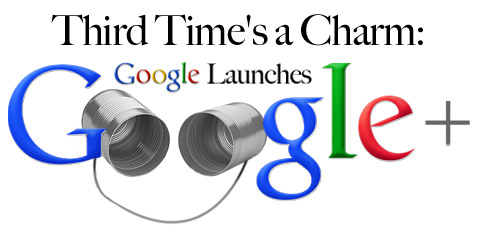
Google launches Google+

Google+

It’s been a long time coming, but Google has finally made a serious entry into the social media market. It took three attempts – you remember Wave and Buzz right? No? That’s okay, no one does – but it looks like Google may finally have a winner on its hands.

Still, Google+ has a long way to go. The service has launched to a relatively small group of users and continue to be limited by invites, but that could provide the kind of hype Google wants for a new service. Here’s an excerpt from an article I wrote about the service for Bullz-Eye:

One of the coolest parts of Google+ is Hangout, which allows users to jump into text and video chat rooms with customizable accessibility. It’s a product that could easily punch a hole in Skype and become an amazing productivity tool. That’s especially true for the companies that have made the transition to Google’s online products.

Sparks, on the other hand, is the service’s big flop. It’s meant to be some sort of social news feed, but it’s cumbersome instead of sleek, slow instead of fast, and skimpy where it should be overflowing with information. Sparks actually surprises me in its shortcomings. Google has mountains of information about me. I’m always signed in to its email service, I use the search engine exclusively, I have an Android phone, I use Google Reader on a daily basis, and I’m writing this article in Google Docs. Why is it so hard for me to get a decent feed on Sparks?

For the rest of the article, head over to the Bullz-Eye Gadgets channel.

« Older posts Newer posts »

© 2026 Gadget Teaser

Theme by Anders NorenUp ↑